The Send Call-Out feature lets Administrators quickly build a new storm call and message their roster for availability, all from one guided form.
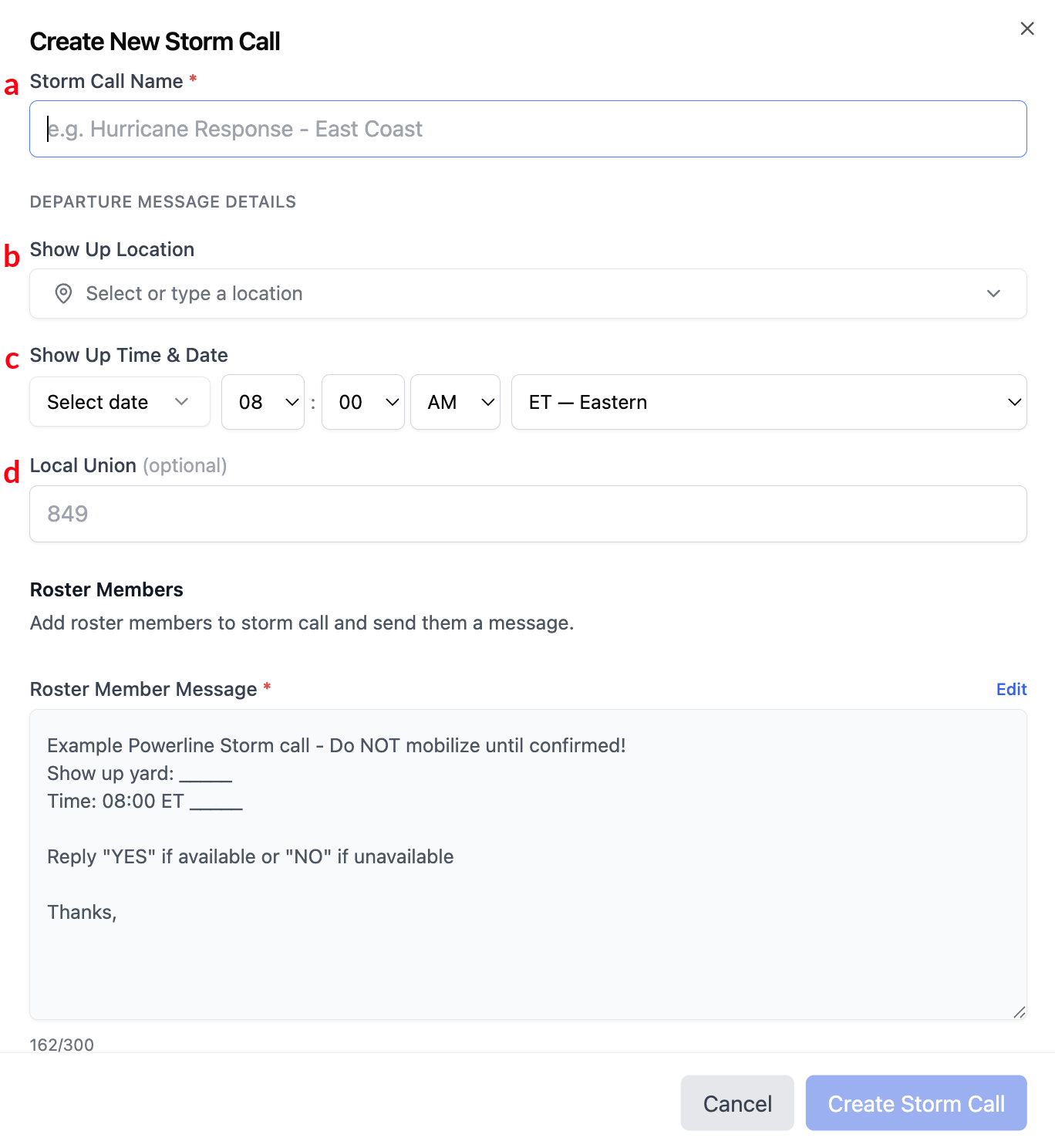
1 Enter Storm Call Details
Fill in the storm call details:
- (a) Storm Call Name — for internal use only, roster members won't see it
- (b) Show Up Location — which yard members should report to
- (c) Show Up Time & Date
- (d) Local Union — optional
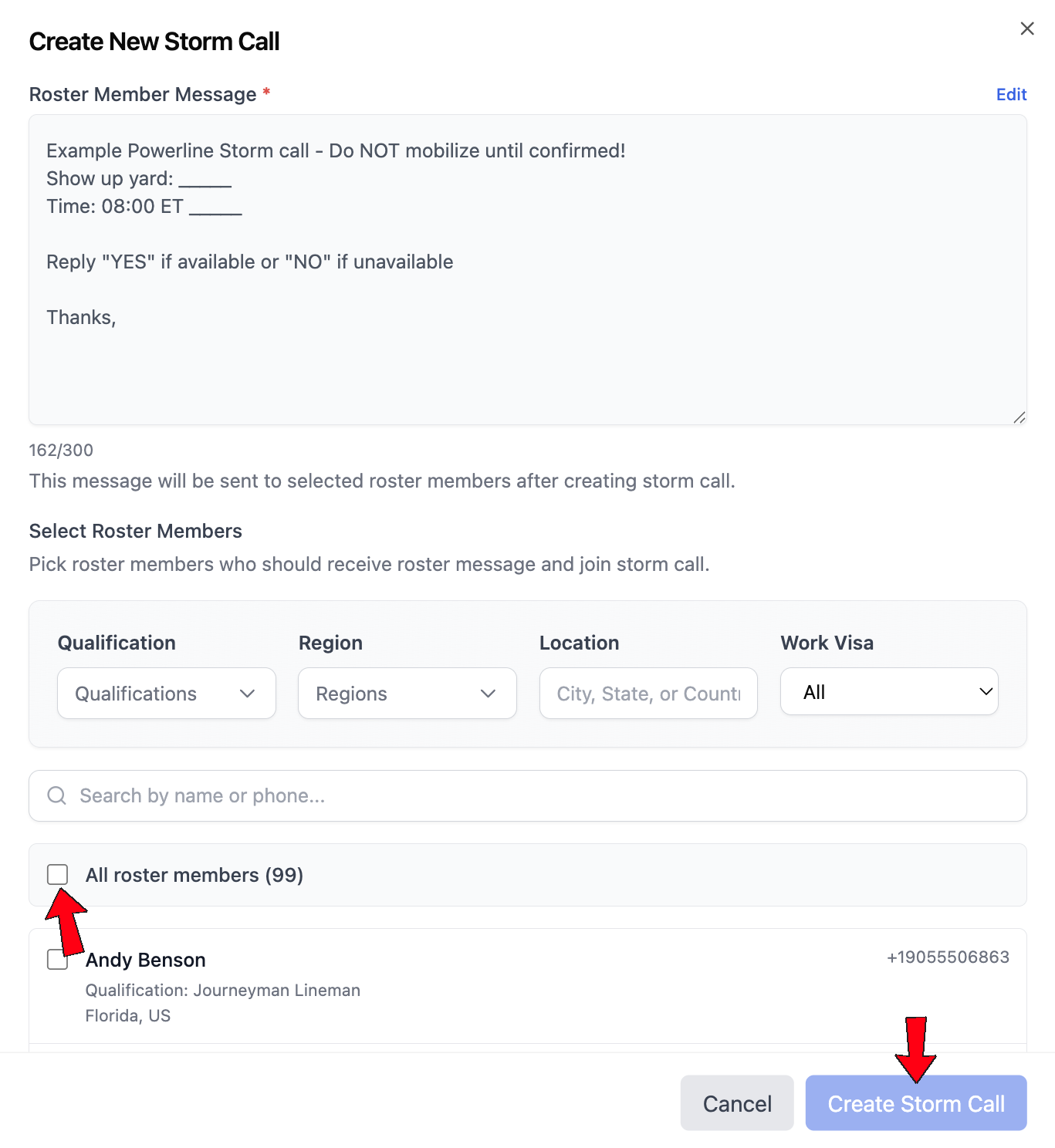
2 Write Your Message and Choose Recipients
Use the default Roster Member Message or edit it to fit the situation.
Then choose who receives it: filter by Qualification, Region, Location, or Work Visa status, or check All roster members to send to everyone at once. Select Create Storm Call when you're ready.
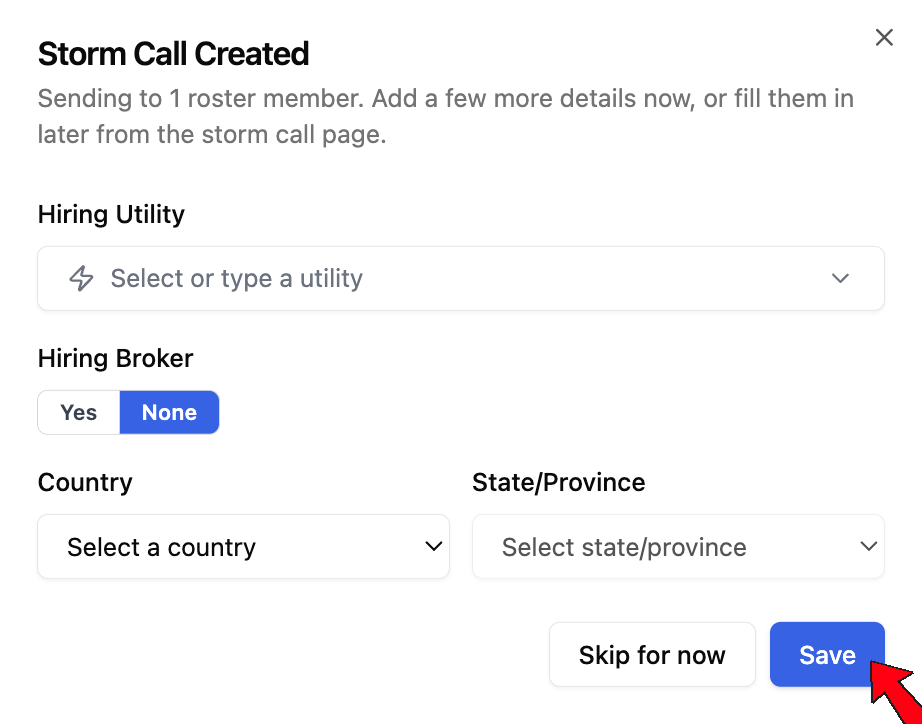
3 Add Hiring Details
Once the storm call is created, add the Hiring Utility and Hiring Broker (if one is involved) along with the working location's Country and State/Province. Fill these in now, or select Skip for now and add them later from the storm call page.