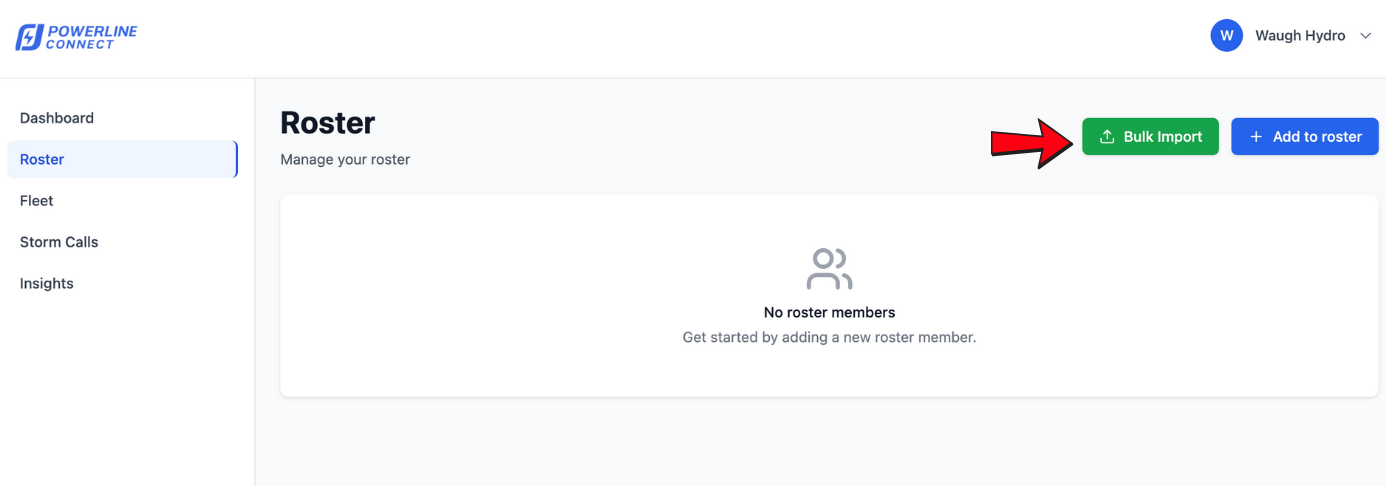
The Bulk Roster Import feature allows Admins to upload two or more roster members via file upload or pasting content.
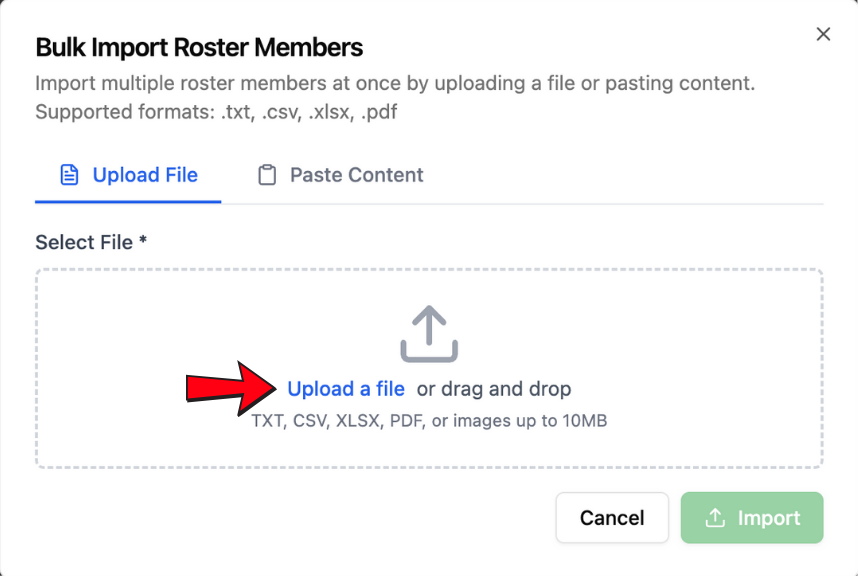
1 Upload a TXT, CSV, XLSX, or PDF file — or paste your roster content
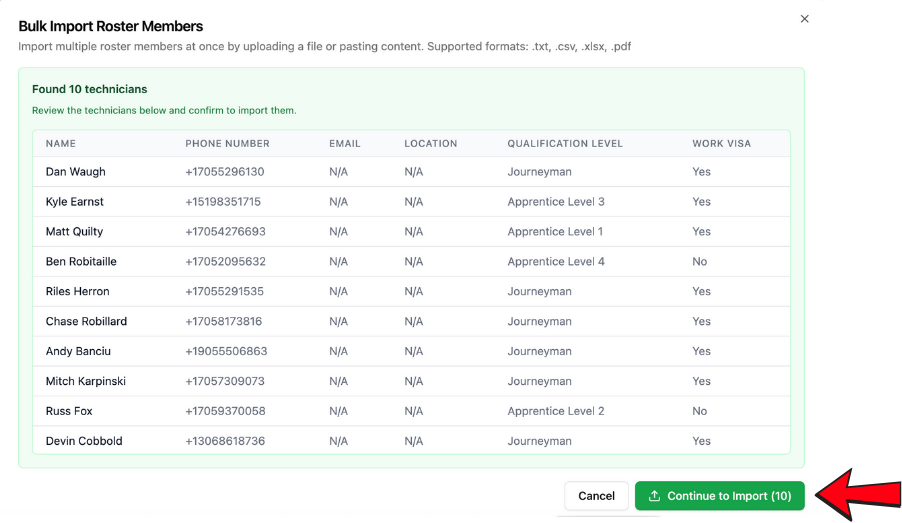
2 Verify every member's details
Before continuing, verify that every roster member has accurate details — including phone number, email, qualification level, and any custom fields configured for your company.
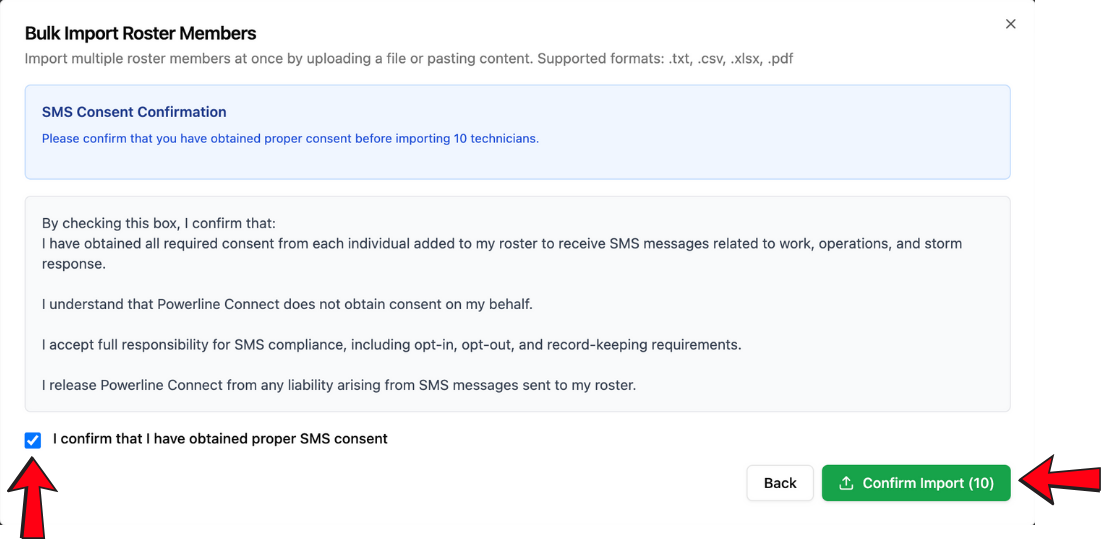
3 Confirm SMS consent
Admins must confirm they have collected SMS consent from all members before importing.