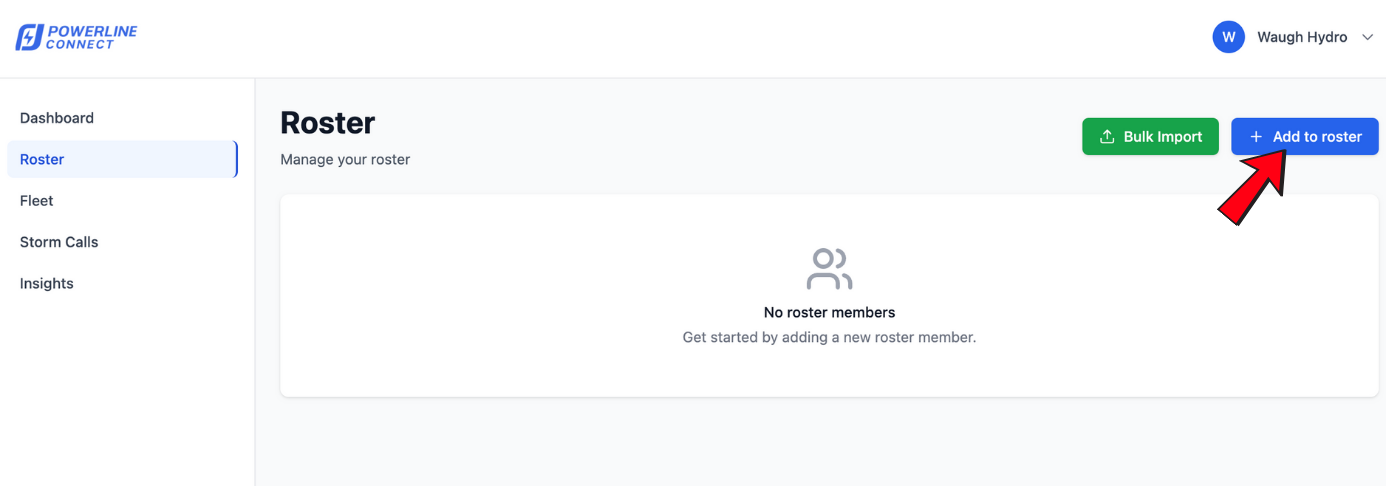
The Add to Roster option allows Administrators to manually add a single roster member with their contact information and qualification level.
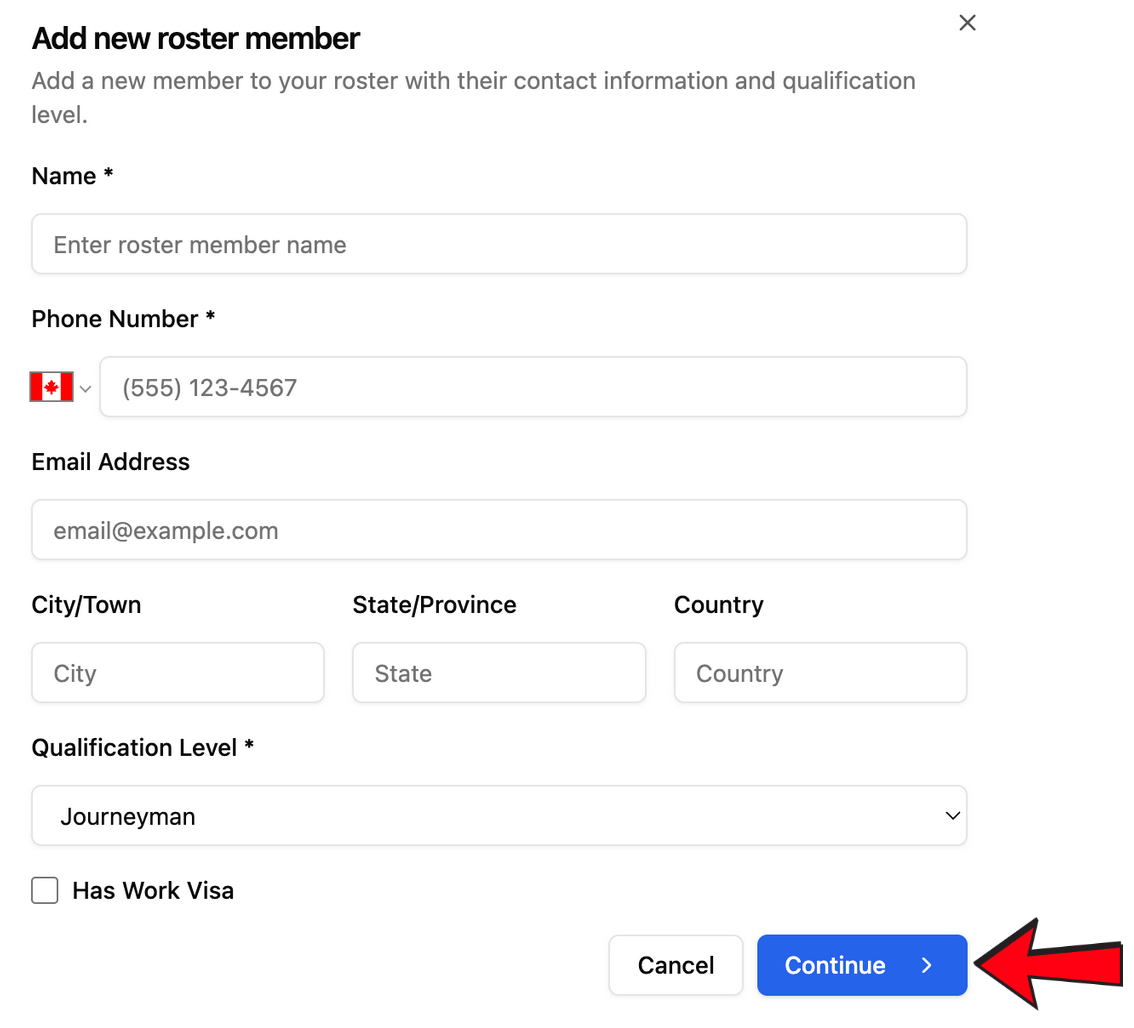
1 Enter Required Information
Fill in the required fields:
- Name*
- Phone Number*
- Qualification Level*
Optional fields can also be added:
- Email Address
- City / Town
- State / Province
- Country
- Work Visa Status
These fields ensure accurate roster details for storm call-outs, reporting, and crew building.
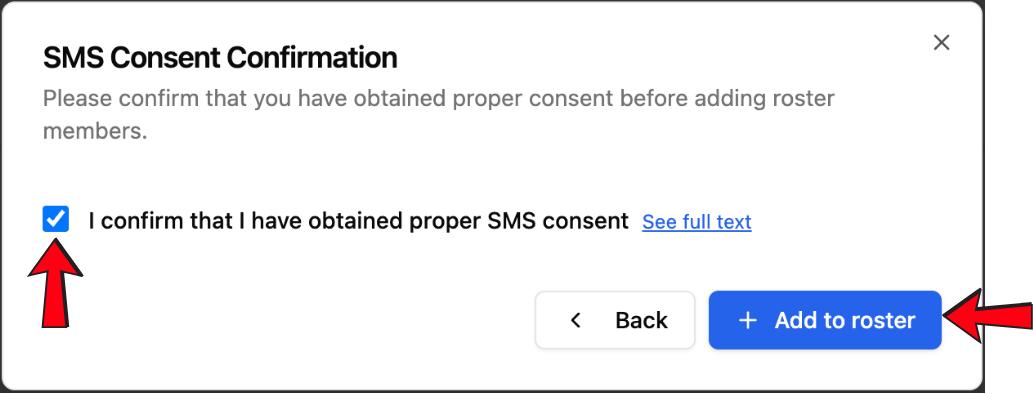
2 Confirm SMS consent
Confirm that you have obtained required SMS consent from the individual before adding them to your roster. Check the box and select Add to roster.